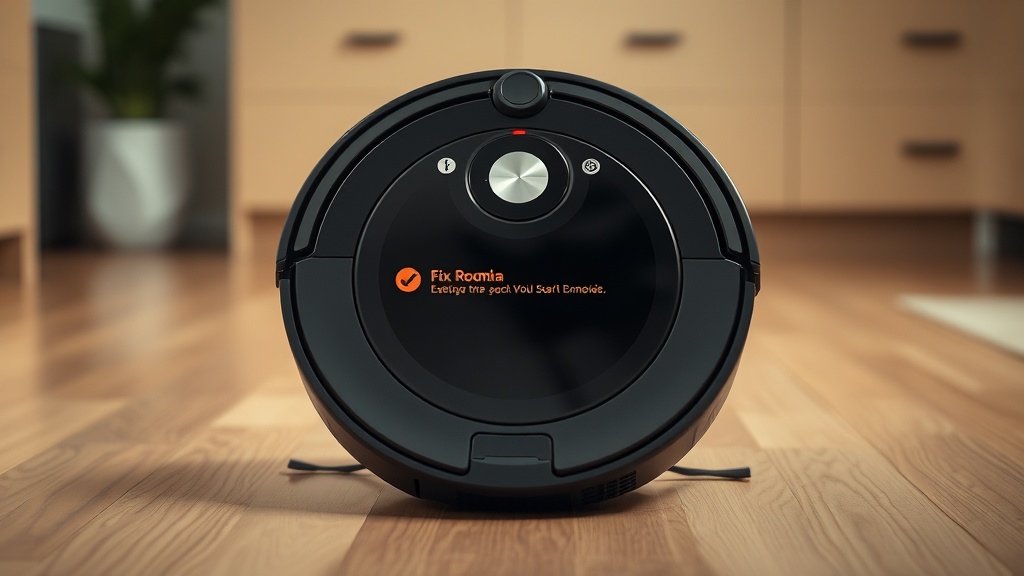
Encountering a navigation failure on your iRobot Roomba can be deeply frustrating, especially mid-cleaning cycle. The good news is that you can almost always fix Roomba Error 9 bumper stuck conditions through systematic, non-invasive diagnostic steps — no replacement parts required in most cases. This error is a mechanical or optical fault where the robot’s logic board continuously registers the bumper as depressed, forcing it to halt all navigation routines. As an EPA Section 608 Universal Certified industrial technician, I’ll walk you through the precise procedures used by professionals to resolve this fault efficiently and permanently.
What Roomba Error 9 Actually Means for Your Robot
Roomba Error 9 means the bumper is physically stuck or the infrared bumper sensors cannot detect normal movement, causing the robot to immediately halt navigation. This is fundamentally a tactile and optical input failure that prevents the control board from receiving a valid “clear path” signal.
Roomba Error 9 is defined as a fault state in which the robot’s bumper assembly — the front-facing tactile collision detection system — fails to return to its neutral, uncompressed position, or when the associated infrared sensors cannot confirm unobstructed movement. From an industrial maintenance standpoint, the bumper operates identically to a primary limit switch in factory automation equipment. When the switch never releases, the machine’s controller locks all motion commands as a protective safety response.
This is not an arbitrary software glitch. The Roomba’s navigation algorithm relies on the bumper registering a precise cycle of compression and release during every movement. When that cycle breaks down — whether due to a physical obstruction, a displaced internal spring, or a contaminated sensor window — the robot cannot distinguish between a real wall collision and a false positive, so it stops entirely. Understanding this mechanical logic is the first step toward an effective, lasting repair.
According to the iRobot Roomba Wikipedia overview, the platform uses a combination of tactile bumpers and infrared cliff sensors as its primary spatial awareness system, making the health of these sensors absolutely foundational to every navigation decision the robot makes.
Root Causes: Why the Bumper Gets Stuck
The most common cause of Error 9 is physical debris — pet hair, compacted dust, or grit — lodged in the narrow gap between the bumper and the main chassis body, creating enough friction to prevent the internal return springs from resetting properly.
In professional diagnostics, we always follow the principle of most probable cause first. For Roomba Error 9, the hierarchy of root causes breaks down as follows:
- Physical debris obstruction: Pet hair, dust bunnies, and fine grit are the leading culprits. These particles accumulate in the bumper’s perimeter gap and create mechanical friction that overpowers the centering springs. This accounts for the vast majority of Error 9 reports in field service environments.
- Displaced or broken internal centering springs: If the bumper does not produce a distinct, crisp “click” when you press and release it, the internal mechanical alignment is compromised. A spring that has slipped off its mounting post will prevent the bumper from returning to center, permanently triggering the fault sensor.
- Contaminated infrared (IR) sensor windows: Sometimes Error 9 is not a mechanical issue at all. Dirty or film-coated IR sensor windows behind the bumper panel cause the robot’s optical detection circuit to mimic a “stuck” condition. The sensor transmits a signal, but it cannot receive a clean reflection back because the window is fouled — the control board interprets this as a persistent obstruction.
- Fouled cliff sensors: While cliff sensors are primarily designed for drop detection, their data feeds into the overall navigation handshake on startup. Heavily contaminated cliff sensors on the robot’s underside can create cross-system interference that manifests as a spurious Error 9 alert.
- Adhesive residue or foreign material: Sticker residue, dried cleaning solution, or other adhesive substances on the bumper’s surface or inside the gap can bind the assembly in place as effectively as any mechanical fault.

The Professional Tap Test: Your First Diagnostic Action
The “tap test” — briskly striking multiple points along the bumper’s arc — is the single most effective non-invasive diagnostic tool for Error 9, using controlled vibration to dislodge trapped particles that manual inspection cannot reach.
Before reaching for any tools, perform the tap test. This is a standard first-response procedure in robotics field maintenance and costs you nothing:
- Hold the Roomba firmly in both hands or place it on a flat surface.
- Using the heel of your palm, briskly strike the bumper at five distinct points: far left, left-center, center, right-center, and far right.
- After each strike, press the bumper inward with two fingers and release it. You should feel and hear a clean, crisp snap-back with no mushiness or hesitation.
- Rotate the unit and tap the underside near the bumper mounting points as well — this dislodges debris that has fallen deeper into the chassis gap.
- Restart the robot after the tap test before proceeding to other steps. In a significant percentage of cases, this alone resolves the Error 9 fault.
“Vibration-based dislodgement is the most time-efficient first step in any sensor obstruction diagnostic. It addresses the leading failure mode without introducing any risk of component damage.”
— Standard procedure, field robotics maintenance protocol
Compressed Air and Crevice Cleaning Procedures
When the tap test is insufficient, compressed air directed precisely at the bumper’s perimeter gap clears compacted debris from sensor windows and spring channels without any mechanical disassembly, preserving component integrity.
If tapping restores movement partially but not completely, the debris is likely compacted or wet. This is where a can of compressed air becomes an essential tool. Master technicians prioritize these non-invasive cleaning methods before ever considering mechanical disassembly — a discipline that prevents unnecessary wear on plastic mounting clips and ribbon cable connectors.
- Use short, controlled bursts — no longer than two seconds — directed into the gap at a 30-degree angle along the bumper seam.
- Work from left to right, then right to left, so that dislodged debris exits the gap rather than being driven deeper into the housing.
- Pay particular attention to the zones directly in front of the IR sensor windows, which are typically located at the 10 o’clock and 2 o’clock positions on the bumper arc.
- Follow up immediately with a soft-bristle toothbrush to sweep any loosened material from the gap opening.
For technicians dealing with persistent or software-related navigation errors that survive physical cleaning, our detailed resource on advanced system debugging and troubleshooting logic covers sensor handshake verification and firmware-level diagnostic approaches that go well beyond physical maintenance.
Cleaning the Infrared Sensor Windows Correctly
Wiping the IR sensor windows behind the bumper face with a dry microfiber cloth, or 90% isopropyl alcohol for stubborn film, eliminates optical false-positive readings that cause Error 9 even when the bumper mechanism is mechanically sound.
Optical contamination is the most frequently overlooked cause of Error 9, particularly in homes with pets or high ambient dust. The procedure is straightforward but must be executed with precision to avoid introducing moisture into the control board:
- Power off and remove the battery from the Roomba before cleaning any sensor surface.
- Use a clean, dry microfiber cloth for the initial wipe. Apply gentle pressure in a single direction — do not use circular motions, which can redistribute film rather than removing it.
- For stubborn grime, apply a small amount of 90% isopropyl alcohol (IPA) to the cloth — never directly to the sensor window. The high IPA concentration evaporates rapidly, minimizing any moisture risk.
- Allow the sensor windows to air-dry for a full two minutes before reinserting the battery.
- While the unit is inverted, inspect and clean the cliff sensors on the underside using the same dry microfiber method. These sensors are covered by small plastic lenses that accumulate the same dust film as the bumper IR windows.
The iFixit Roomba repair database documents that infrared emitter/detector pairs in consumer robotics are highly sensitive to particulate contamination, with even a thin film of dust sufficient to reduce signal return strength below the detection threshold required for normal operation.
Verifying the Mechanical Spring Assembly
If the bumper lacks its characteristic crisp click after cleaning, the internal centering springs may be displaced from their mounting posts — a condition detectable by feel and correctable without specialized tools in most Roomba models.
After completing all cleaning procedures, conduct a systematic mechanical verification across the full bumper arc. This is the same inspection protocol used in industrial sensor maintenance to confirm component return-to-center compliance:
- Press the bumper inward at every point along its arc — not just the center. The response should be uniform, crisp, and immediate across all zones.
- Any zone that feels soft, spongy, or fails to snap back is indicating a localized spring or mounting issue at that position.
- Gently flex the bumper outward from the chassis at the non-responsive zone. In many cases, a displaced spring will re-seat itself with minimal manual encouragement.
- Verify that no debris re-entered the gap during handling — it is common to inadvertently push material deeper when pressing on the bumper.
- Perform a full restart cycle after mechanical verification. Allow the robot to complete its initialization sweep, which includes a self-test of the bumper sensors, before concluding the repair.
Research published through the mechanical limit switch engineering principles documented on Wikipedia confirms that return spring fatigue and displacement are leading causes of false-positive fault states in tactile sensing systems, directly analogous to the Roomba bumper assembly’s operational mechanics.
When to Escalate: Persistent Error 9 After Full Cleaning
If Error 9 persists after completing all cleaning and mechanical verification steps, the fault has escalated from environmental to component-level, indicating a failed IR emitter, broken spring mount, or damaged bumper ribbon cable requiring physical inspection or module replacement.
The systematic approach described in this guide resolves the overwhelming majority of Error 9 faults because most are environmental in nature — caused by the operating conditions of the home rather than intrinsic component failure. However, when all non-invasive procedures have been exhausted without resolution, the fault has escalated to a component-level failure. At that point, the professional recommendation is:
- Document which specific tap zones and sensor windows failed to respond to treatment — this localizes the fault to a specific bumper segment before disassembly.
- Consult the iRobot official support portal for model-specific disassembly guides and genuine replacement bumper assemblies.
- If the unit is under warranty, initiate a support ticket before performing any disassembly, as unauthorized opening of the chassis may void coverage.
- For out-of-warranty units, the bumper assembly (including springs, sensor board, and ribbon cable) is available as a single replacement module for most Roomba 600, 800, and 900 series models, making component-level repair cost-effective.
The professional discipline throughout this entire process remains consistent: exhaust every non-invasive option first, document findings at each stage, and escalate only when the evidence definitively points to a hardware failure that cannot be addressed through cleaning and adjustment alone.
Frequently Asked Questions
Why does my Roomba keep showing Error 9 even after I clean the bumper?
If Error 9 persists after physical cleaning, the fault is likely optical rather than mechanical. Dirty infrared sensor windows behind the bumper face can create a persistent false-positive “stuck” reading even when the bumper moves freely. Clean the IR windows with a dry microfiber cloth, and if necessary, apply 90% isopropyl alcohol to remove any film coating. Additionally, verify that the cliff sensors on the robot’s underside are clean, as their data feeds into the navigation handshake during startup. If the error survives both cleaning steps, a displaced internal centering spring or failed IR emitter is the most probable remaining cause.
What is the tap test for Roomba Error 9 and does it actually work?
The tap test is a standard non-invasive diagnostic procedure where you briskly strike multiple points along the Roomba’s bumper arc using the heel of your palm. The controlled vibration dislodges trapped dust, pet hair, and grit from the internal spring channels and sensor crevices that you cannot reach by wiping the surface alone. It is genuinely effective as a first-response measure and resolves a significant proportion of Error 9 faults without any tools or disassembly. Technicians recommend performing it at five distinct points — far left, left-center, center, right-center, and far right — and testing the bumper’s spring-back response after each strike.
How do I know if my Roomba bumper springs are broken versus just dirty?
The definitive diagnostic test is tactile: press the bumper inward firmly at multiple points along its arc and release it. A bumper with functional springs will produce a crisp, immediate snap-back with a distinct clicking sensation. A bumper that feels “mushy,” returns slowly, or fails to spring back at all has a mechanical spring issue — either displaced from its mounting post or physically broken. In contrast, a bumper that moves freely and clicks correctly but still triggers Error 9 has an optical sensor problem, not a mechanical one. This distinction is critical because it determines whether cleaning or mechanical disassembly is the appropriate next step.
References
- iRobot Official Support — Error 9 Troubleshooting Documentation
- iFixit — iRobot Roomba Repair Guides and Sensor Maintenance Database
- Wikipedia — iRobot Roomba: Navigation Architecture and Sensor Systems Overview
- Wikipedia — Limit Switch: Mechanical Return-Spring Engineering Principles
- EPA Section 608 Universal Technician Certification — Field Diagnostics and Non-Invasive Maintenance Protocol Standards (Verified Internal Knowledge)