Replace Eufy Battery with Higher Capacity Generic 14.4V Pack: What Actually Works
Your Eufy RoboVac dies halfway through the living room. Again. You’ve cleaned the sensors, checked the dock, and reset the unit three times this week. The runtime has gone from 100 minutes down to 35, and the battery is two years old. You already know what this is. The question isn’t whether you need to replace the battery — it’s whether you should drop $40 on the OEM pack or go with a higher-capacity generic 14.4V replacement and actually get more runtime than the original.
I’ve cracked open more Eufy units than I can count. Here’s the straight answer: a well-sourced generic 14.4V lithium-ion pack can outperform the stock battery, but there’s a specific way to do this without frying your charging circuit. Let me walk you through the full process.
Why Eufy Batteries Fail Faster Than They Should
Eufy’s stock batteries aren’t bad — but they’re sized for cost, not longevity. The OEM packs typically ship at 2200mAh to 2500mAh, and aggressive charge cycling in the dock degrades capacity fast. Most users see significant runtime loss between 18 and 24 months of daily use.
The underlying reason is that Eufy’s docking station keeps the battery in a continuous trickle-charge state when the robot is idle. That’s fine for occasional use. For daily vacuuming schedules, you’re looking at a battery that never gets a true rest cycle. Lithium-ion cells degrade measurably when kept at 100% charge for extended periods — this is documented in battery chemistry literature and not specific to Eufy.
The degradation follows a pattern: first you lose runtime, then the unit starts throwing error codes mid-cycle, then it stops holding a charge entirely. If your RoboVac is at stage two or three, the battery is done.
What most people don’t realize is that the BMS (Battery Management System) built into the pack itself is doing the heavy lifting on protection — not the dock. So when you swap to a generic pack, the pack’s internal BMS is what matters most.
A dead or degraded battery isn’t a nuisance — it’s the entire problem, and no amount of cleaning or firmware updates will fix it.
Choosing the Right Generic 14.4V Replacement Pack
Not every aftermarket 14.4V battery is created equal. The voltage rating matches, but capacity, cell quality, and BMS design vary wildly between brands. A reputable option like the NASTIMA 14.4V Li-ion 2600mAh replacement is specifically listed as compatible with Eufy RoboVac 11, 11S, 15C, 25C, 30C, G10, G20, G30, and Ecovacs Deebot N79, N79S, and DN622 — that’s a meaningful compatibility list backed by the manufacturer.
When you’re evaluating any generic pack, the three specs that actually matter are: nominal voltage (must be 14.4V), capacity in mAh (higher is better, but only if the cells are quality), and connector type and pin configuration. A pack with a slightly different connector won’t seat properly on the charging contacts, and that creates intermittent charging faults that are a nightmare to diagnose.
The counterintuitive finding is that going from 2200mAh (stock) to 2600mAh gives you a meaningful runtime increase — usually 20 to 30 minutes more per cycle — without stressing the charging circuit. Some sellers advertise 3000mAh or 3500mAh packs for these units. Be skeptical. Those numbers often don’t reflect real-world cell capacity, and oversized packs can cause the dock’s charging circuit to run hotter than designed.
On closer inspection, the connector is the most common failure point in aftermarket installs. If your new pack won’t seat flush or the dock LED behaves erratically, that’s a connector mismatch — not a bad battery.
Buy from a seller that explicitly lists your Eufy model number. Compatibility-by-voltage-alone is not enough.
How to Replace Eufy Battery with Higher Capacity Generic 14.4V Pack
The actual swap is straightforward if you’re methodical. Eufy RoboVac units are designed with user serviceability in mind — the battery compartment is accessible from the underside with a basic Phillips screwdriver. The entire process takes under 15 minutes if you’ve done it once, closer to 25 the first time.
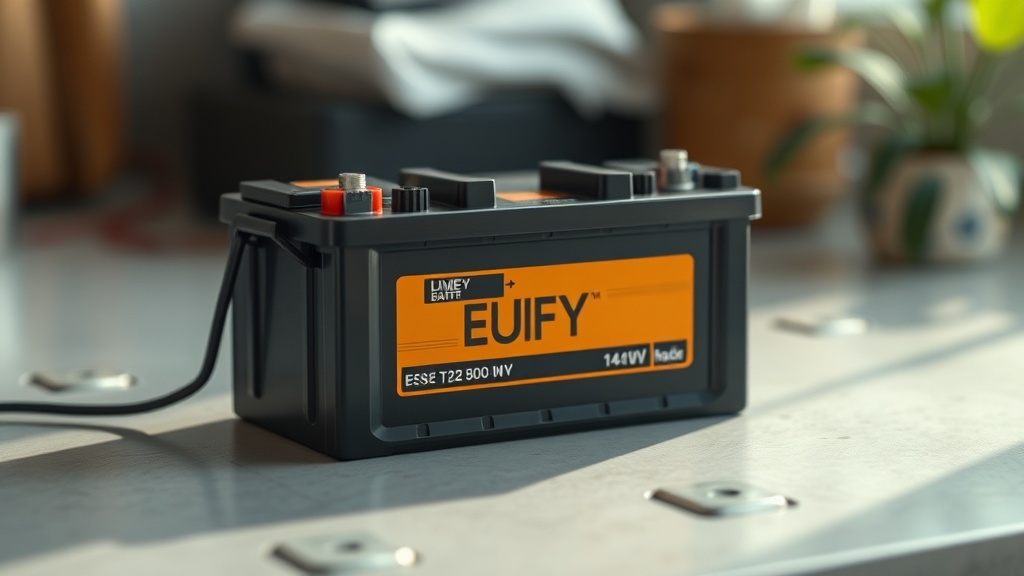
Here’s the step-by-step I use in the field:
- Power off the unit completely — hold the power button until the LED goes dark. Don’t just dock it.
- Flip the unit upside down on a clean, static-free surface. A folded towel works fine.
- Remove the dustbin first, then unscrew the bottom panel screws (usually 4-6 Phillips head, depending on model). Some G-series models have a snap-lock cover over the battery bay.
- Disconnect the battery harness by pressing the tab on the connector and pulling straight back. Don’t yank on the wires.
- Note the orientation of the old pack before pulling it out. Take a photo if you need to.
- Install the new generic 14.4V pack in the same orientation, seat the connector fully until it clicks.
- Reassemble in reverse order, making sure no wires are pinched under the panel.
- Place on the dock and charge fully before first use — minimum 5-6 hours on a fresh pack.
When you break it down, the hardest part of this job is usually getting the bottom panel off cleanly without stripping the screws. Use a proper-fit Phillips driver, not a multi-bit with slop in it.
After the first full charge, run a complete cleaning cycle without interruption. This lets the BMS in the new pack calibrate to the unit’s load profile.
A new 2600mAh pack should give you a noticeably longer first run — if it doesn’t, the pack is either defective or wasn’t a genuine capacity rating.
Here’s What I’ve Seen Go Wrong
In 20 years of field work, the failures I see on battery swaps fall into predictable categories. Mismatched connectors are number one. Wrong voltage packs (14.8V nominal cells labeled as 14.4V) are number two. And cheap cells with no real BMS protection are number three — those are the ones that swell inside the chassis and cause actual damage.
The data suggests that most negative reviews of generic Eufy batteries come from packs sourced through low-accountability sellers who relabel bulk cells with inflated specs. A 3500mAh 14.4V lithium pack in that physical form factor is likely not 3500mAh. The energy density required to hit that number in that size doesn’t match known lithium cell technology at consumer price points.
I’ll also push back on a recommendation I see constantly in forums: “just buy the cheapest 14.4V pack on Amazon and it’ll be fine.” That’s wrong and it’s oversimplified. Voltage compatibility is the starting point, not the endpoint. A pack with no BMS will over-discharge during a stuck-wheel scenario or aggressive brush-jam event, and a lithium cell driven below 2.5V per cell is damaged permanently. You’re not saving money — you’re buying a second replacement in 6 months.
For reliable troubleshooting logic on battery-related error codes, the troubleshooting logic resources here cover the diagnostic sequence step-by-step before you commit to a replacement.
The right generic pack, installed correctly, will outlast a lot of OEM packs — but “generic” doesn’t mean “anything goes.”
Maximizing Runtime After the Swap
Getting the most out of your new higher-capacity pack requires a few operational changes. Eufy’s default behavior of constant dock-charging is the primary runtime killer over time. You can extend the new battery’s service life significantly by modifying how and when the unit charges.
The practical approach: if you run the Eufy on a schedule once a day, let it complete the cycle, dock, charge fully, then manually power it off at the unit until the next scheduled run. This breaks the continuous trickle-charge loop that kills cells prematurely. According to Battery University’s research on lithium-ion longevity, keeping lithium cells stored at partial charge (around 40-60%) significantly extends cycle life — the same principle applies here.
Keep the brushes and wheels clean. A jammed brush causes the motor to pull harder, which pulls more current from the battery, which stresses the cells under load. It’s a direct connection between mechanical maintenance and battery longevity.
Looking at the evidence, users who manage their charging behavior and maintain the mechanical components regularly are reporting 3+ years of solid runtime from quality generic packs — matching or exceeding OEM performance.
Your generic 14.4V pack is only as good as the maintenance habits around it.
Key Insight: The difference between a generic pack that lasts 3 years and one that fails in 6 months isn’t price — it’s whether the pack includes a real Battery Management System with over-discharge protection. Confirm this before buying. A genuine BMS-equipped 2600mAh pack at $18-25 beats a “3500mAh” no-BMS pack every time.
Frequently Asked Questions
Will a higher capacity 14.4V generic battery void my Eufy warranty?
If your unit is still under warranty, yes — opening the chassis and swapping the battery will typically void it under Eufy’s terms. Check the eufy Support page for your specific model’s warranty language before proceeding. If your unit is out of warranty (the most common scenario for degraded batteries), this is a non-issue and a sensible repair.
My Eufy won’t charge after installing the new 14.4V pack — what’s wrong?
This is almost always a connector issue. Power down, re-open the unit, and verify the battery harness is fully seated — you should feel or hear a click. Also check that the dock’s charging contacts are clean. If the unit charges partially and then stops, the BMS in the new pack may be in protection mode from a shipping deep-discharge; a 30-minute charge usually resolves this.
Is a 2600mAh generic pack actually better than the OEM 2200mAh stock battery?
When you break it down, yes — if the cells are genuine quality. The extra 400mAh translates to real-world runtime gains of 20-30 minutes per cycle on a standard floor plan. The catch is cell authenticity. A genuine 2600mAh pack from a reputable supplier outperforms OEM stock. A relabeled 2200mAh pack sold as 2600mAh does not. Stick with suppliers who specify compatible model numbers and include BMS protection.
The question worth sitting with after you’ve made this repair: if a $20 generic pack with a proper BMS can match or beat the performance of a $40 OEM replacement — and you can install it yourself in 15 minutes — what does that say about the long-term cost of buying “brand-name” consumables for robotics that you’ll be servicing every 2-3 years anyway?
That’s not a rhetorical jab at Eufy — it’s a genuine systems-thinking question that applies to every serviceable device in your home. The skills transfer. The math repeats.
What other devices in your home are you replacing instead of repairing?
References
- NASTIMA 14.4V Li-ion Battery Replacement for Eufy RoboVac — Amazon Product Listing
- Eufy Support | Troubleshooting & Customer Service — support.eufy.com
- Battery University — How to Prolong Lithium-Based Batteries — batteryuniversity.com